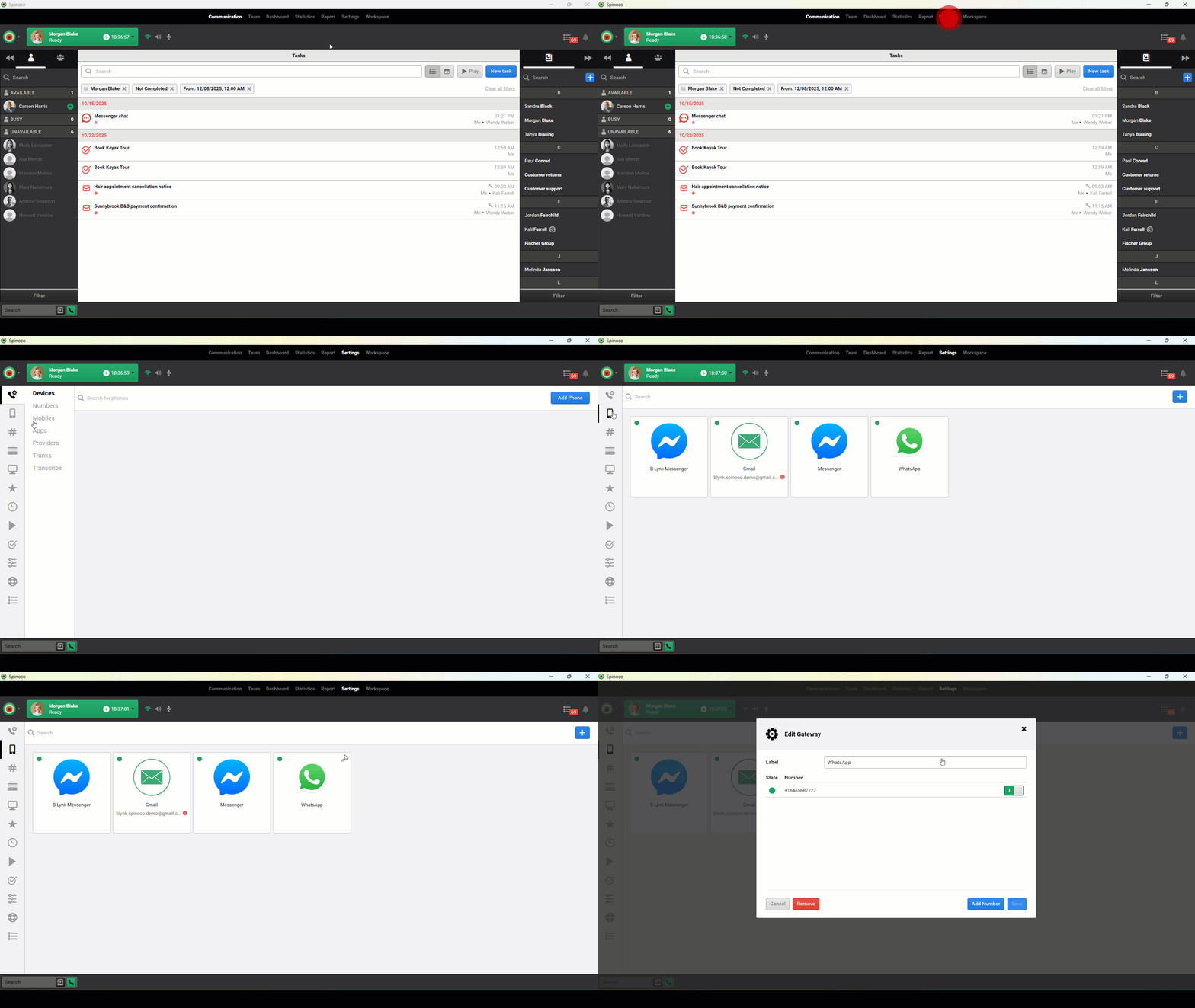
Configuring the WhatsApp Business integration as a service provider is simple—allowing you to adjust response settings and keep conversations running smoothly. Use this guide to learn how to configure the WhatsApp Business integration as a service provider.
Note: To configure the WhatsApp Business integration as a service provider, the end-user admin must first authorize the integration.
- Click Settings.
- Select the mobile icon.
- Click the edit icon on the applicable WhatsApp integration.
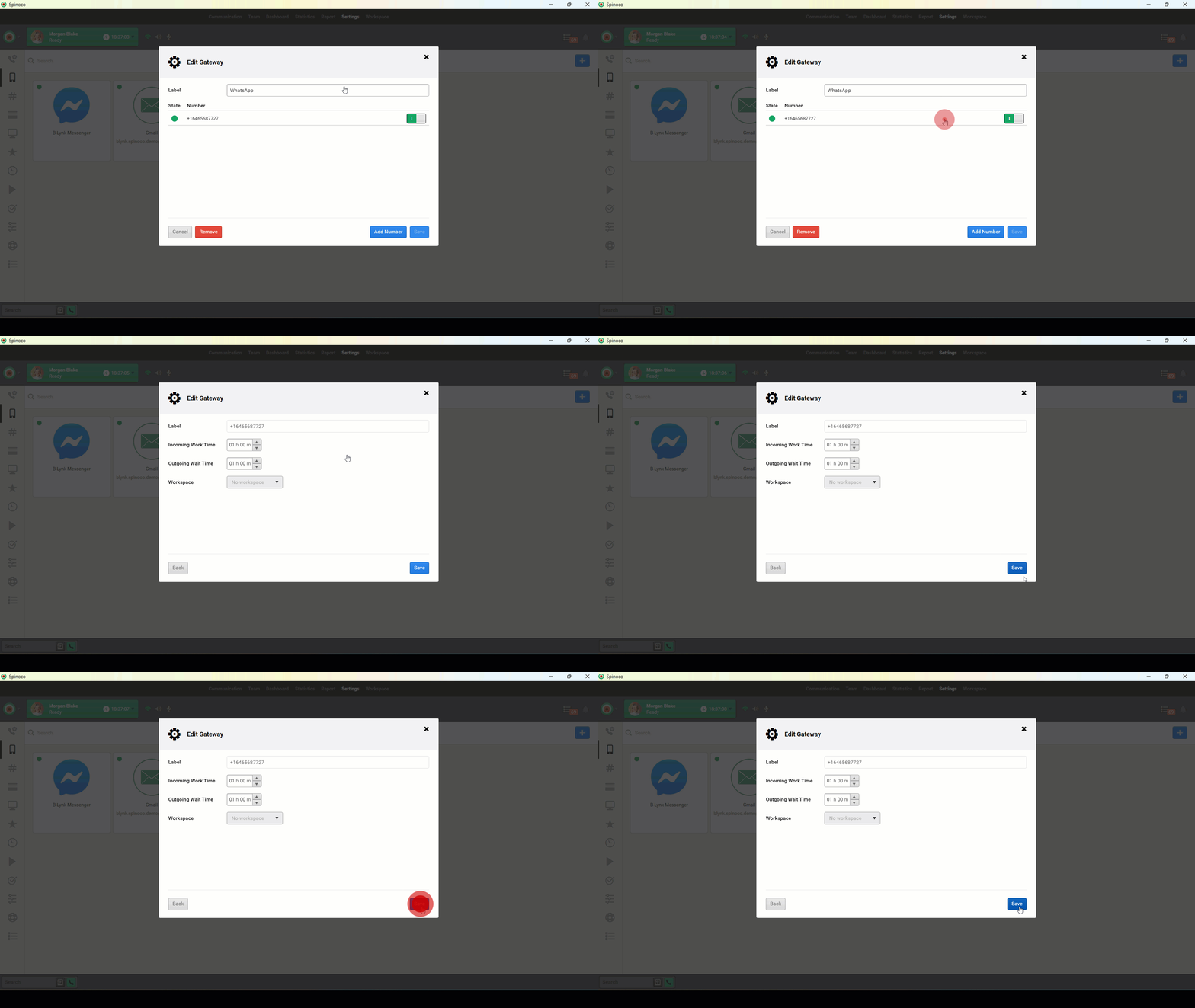
- Click the applicable phone number to edit.
- Modify the following configurations as desired.
- Incoming Work Time: The amount of time before the application marks an incoming message with no response as overdue.
- Outgoing Wait Time: The amount of time the system waits for a response from the customer.
- When all desired changes are complete, click Save.