Download on an Android phone
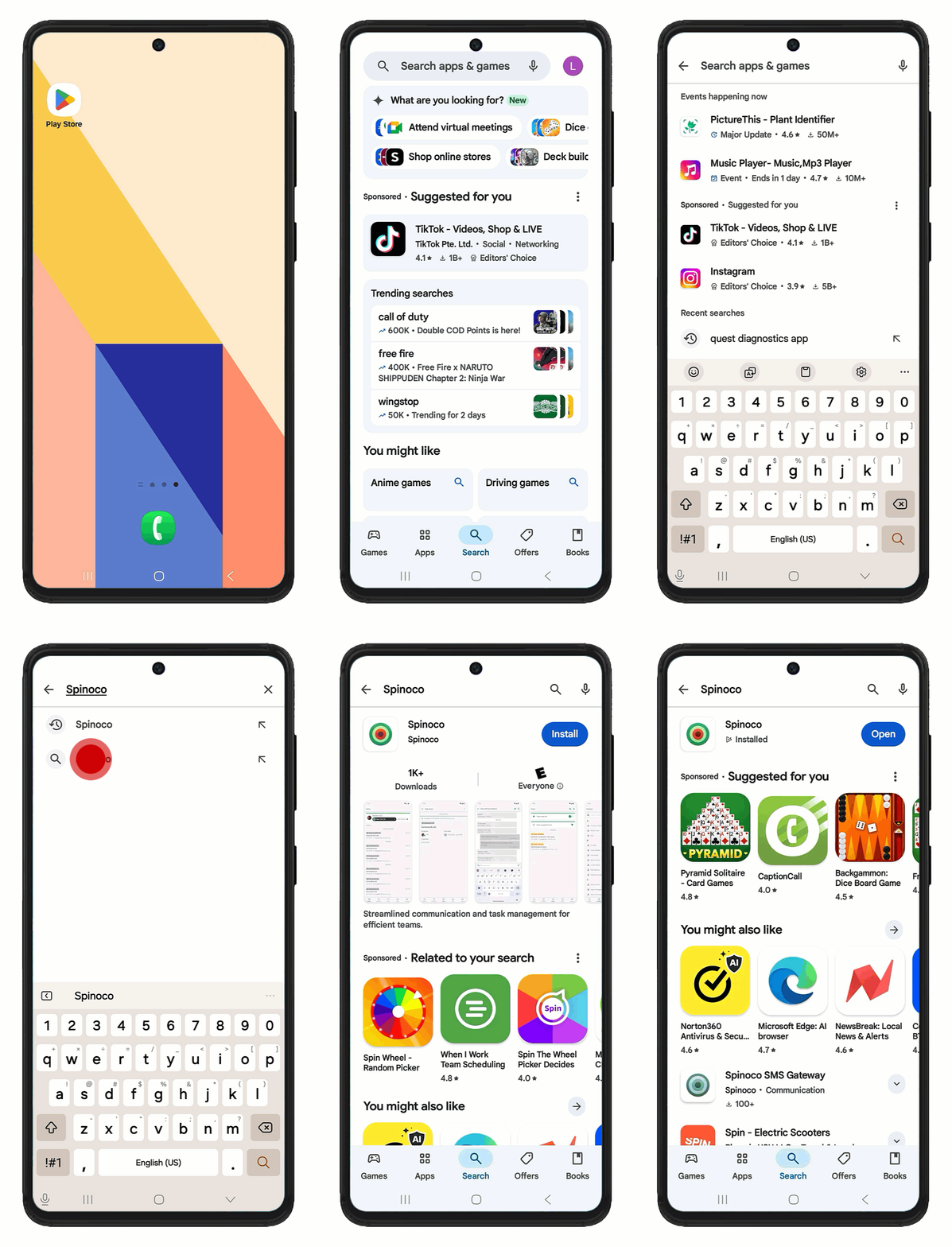
You can download the Spinoco app using the link in your invitation email or by searching for it in the Google Play Store. The steps below guide you through searching and downloading it from the Google Play store.
- Open the Google Play Store app on your Android device.
- Tap on the search bar and type Spinoco.
- From the search results, select the Spinoco app.
- Tap Install.
- Once the installation is complete, tap Open to launch the app.
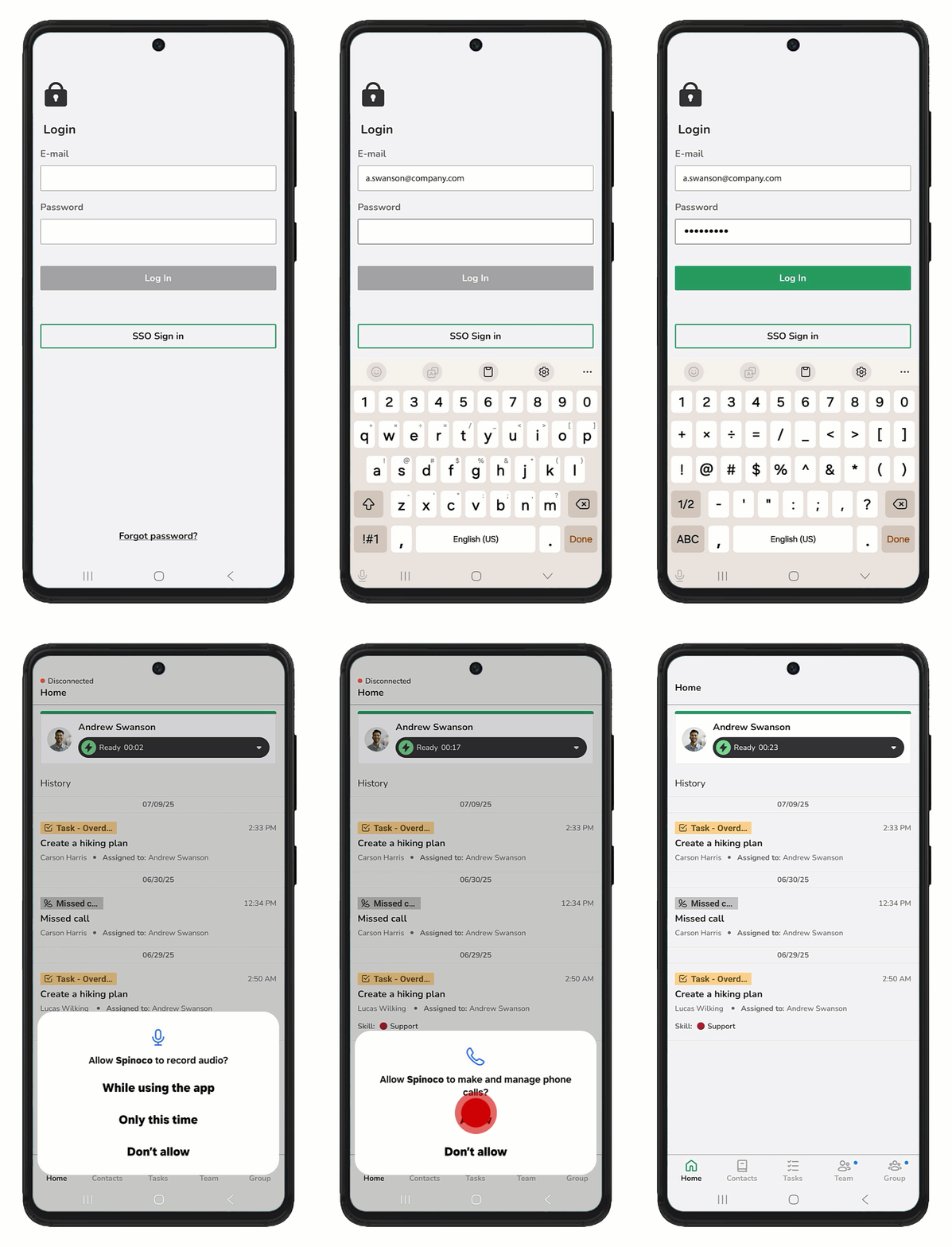
- When prompted, allow the following permissions. Granting these permissions ensures full functionality of the app's communication features.
- Record audio: Tap While using the app to allow Spinoco to access your microphone for making calls.
- Make and manage phone calls: Tap Allow to grant this permission. This permission allows notifications about ongoing phone calls.
- Send notifications: Tap Allow to enable notifications, ensuring you receive incoming calls and updates to task status.
- At the login screen, enter the email address where you received the invitation and the password you set earlier.
- Tap Log in.