Download on an iPhone
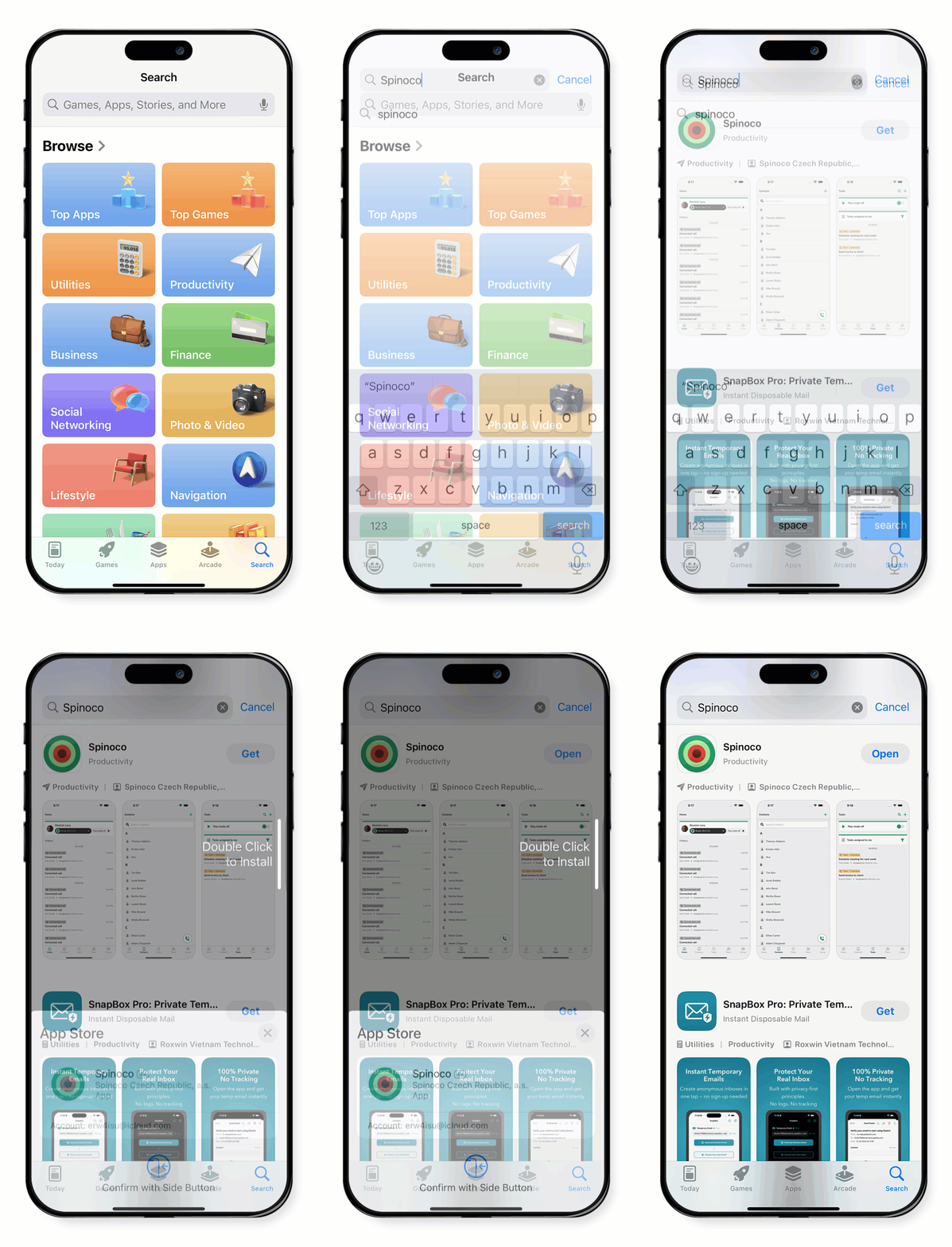
You can download the Spinoco app using the link in your invitation email or by searching for it in the App Store. The steps below guide you through searching and downloading it from the app store.
- Open the App Store on your iOS device.
- Tap on Search and enter Spinoco.
- Find the Spinoco app in the search results.
- Tap Get to download and install.
- After installation, tap Open to launch the app.
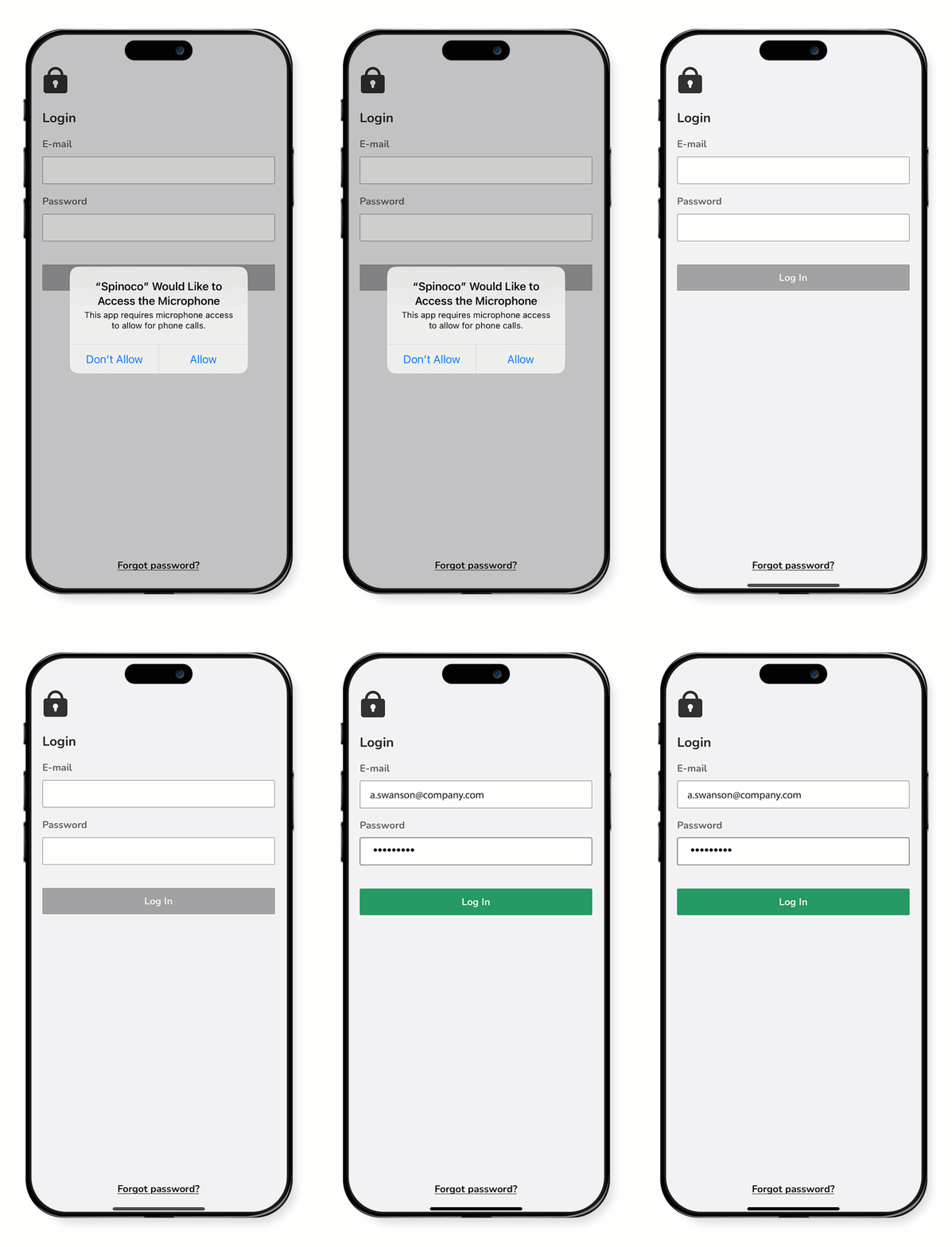
- When prompted, allow the following permissions. Granting these permissions ensures full functionality of the app's communication features.
- Access microphone: Tap Allow to enable Spinoco to access your microphone for making calls.
- At the login screen, enter the email address where you received the invitation and the password you set earlier.
- Tap Log in.