
Call-through can be activated on an individual basis, so you can enable it only for the team members who need it. Use this guide to learn how to set up call-through for a team member on your team.
-
Select the Settings tab, then open the Numbers subtab.
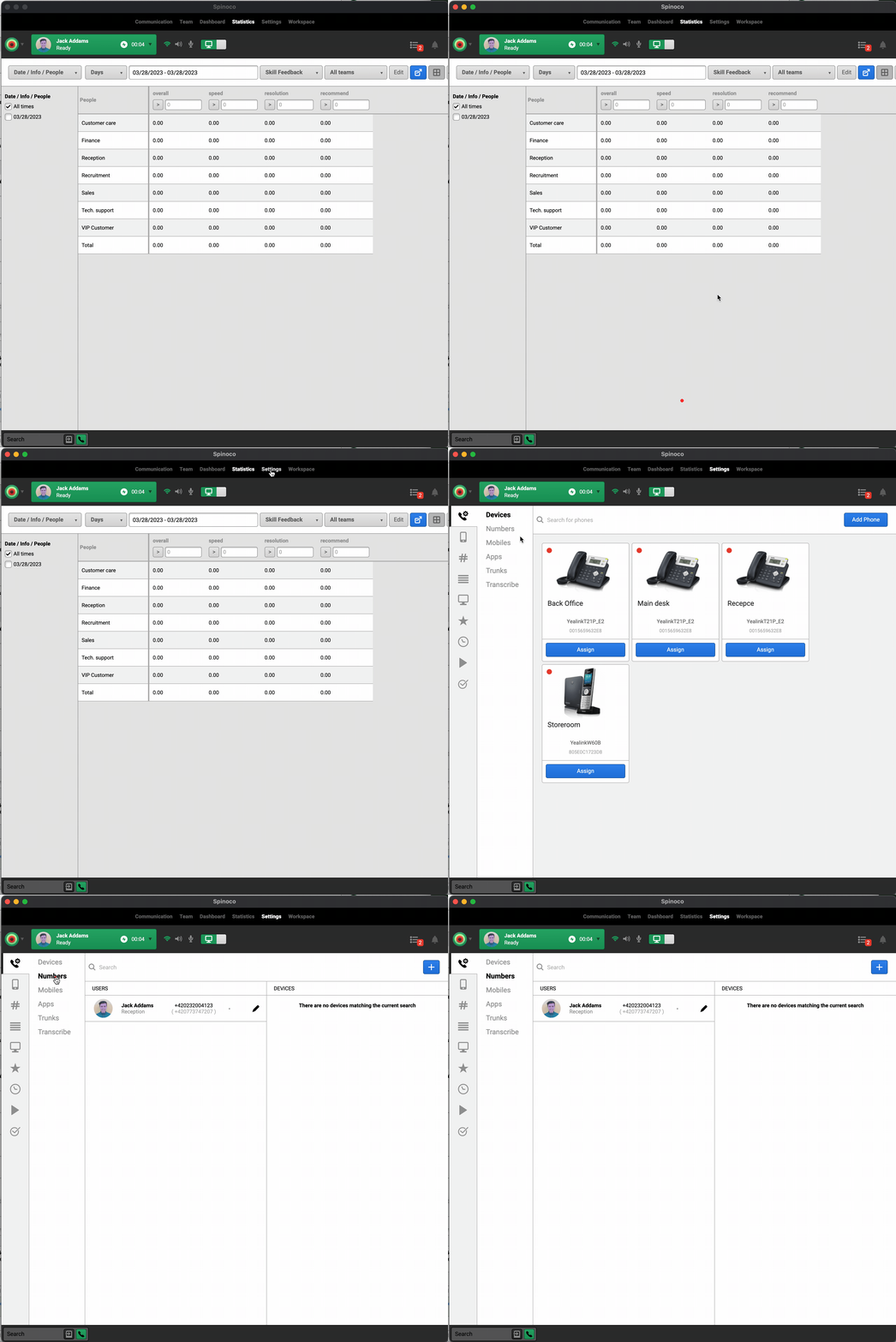
- Find the team member you want to configure:
- If they already appear in the list, click the pencil (edit) icon next to their name.
- If they don't yet appear in the list, click the + button in the top right corner to add settings for that team member.
-
Enter the team member's mobile phone number in the Mobile calling field.
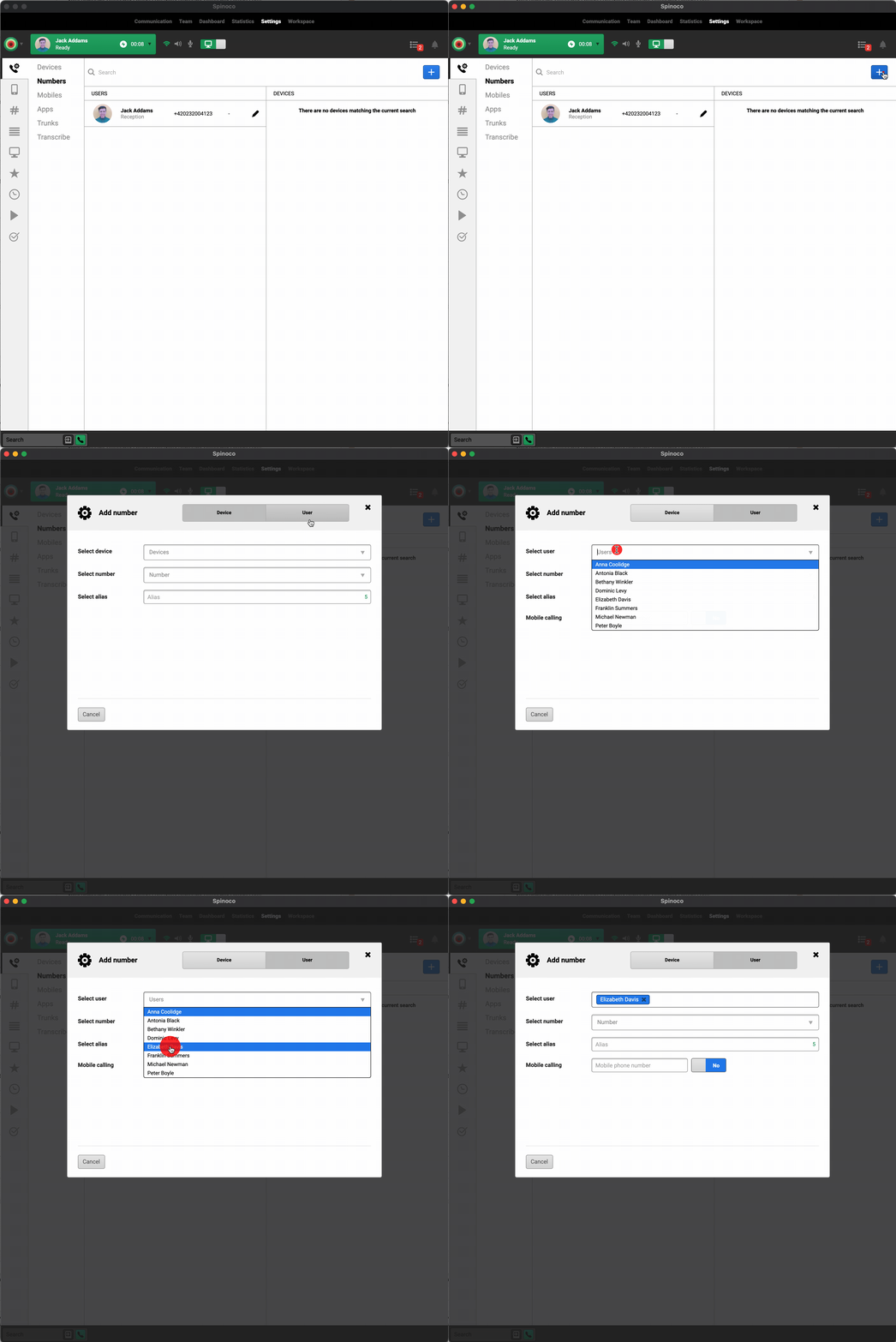
- Click the No button next to Mobile calling to toggle it on.
-
Click the toggle next to Call-through to turn it on.
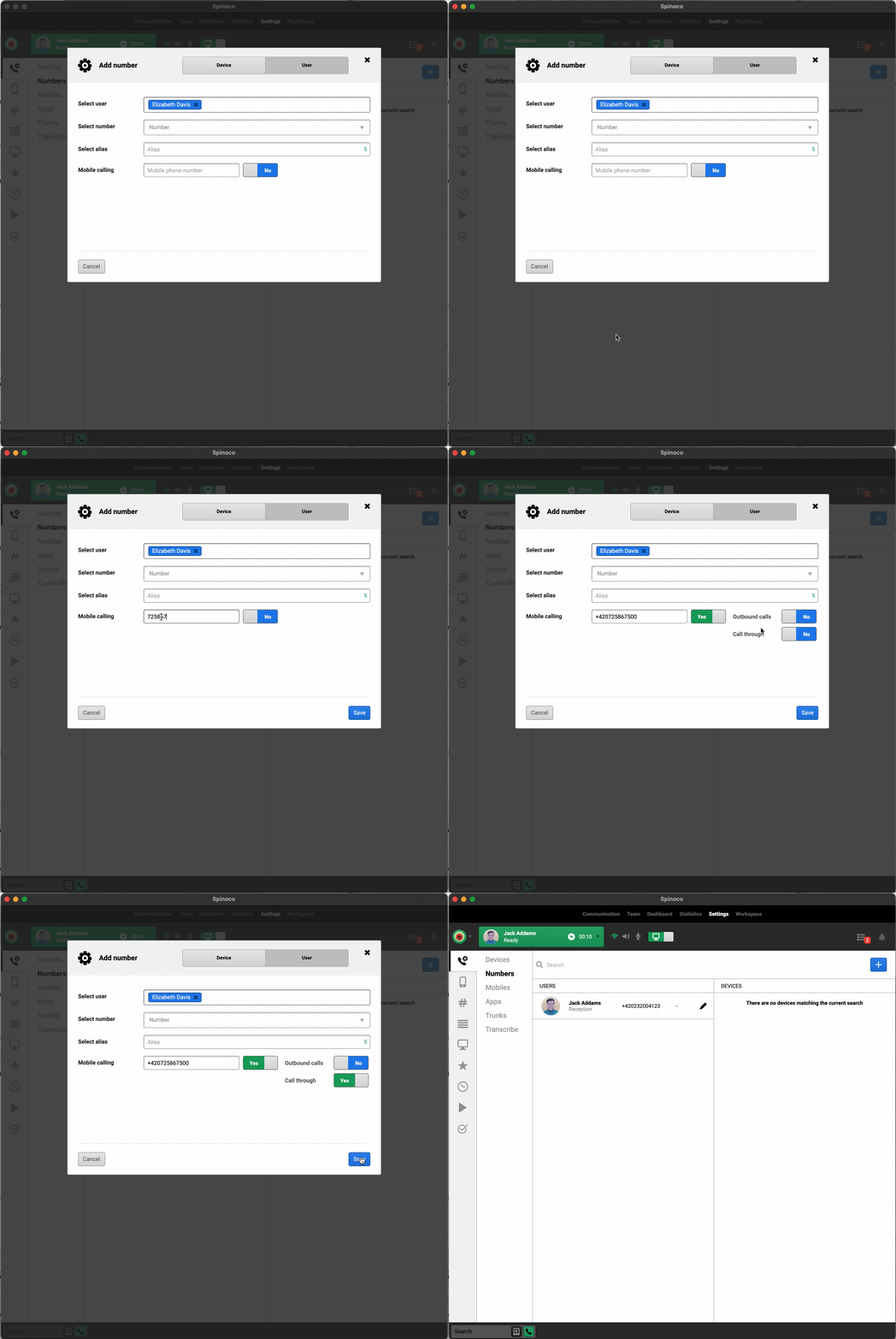
- Click Save.
Once set up, the team member will receive incoming Spinoco calls directly on their mobile and can place outgoing calls through the Spinoco app over the GSM network.